

Talking to the lead
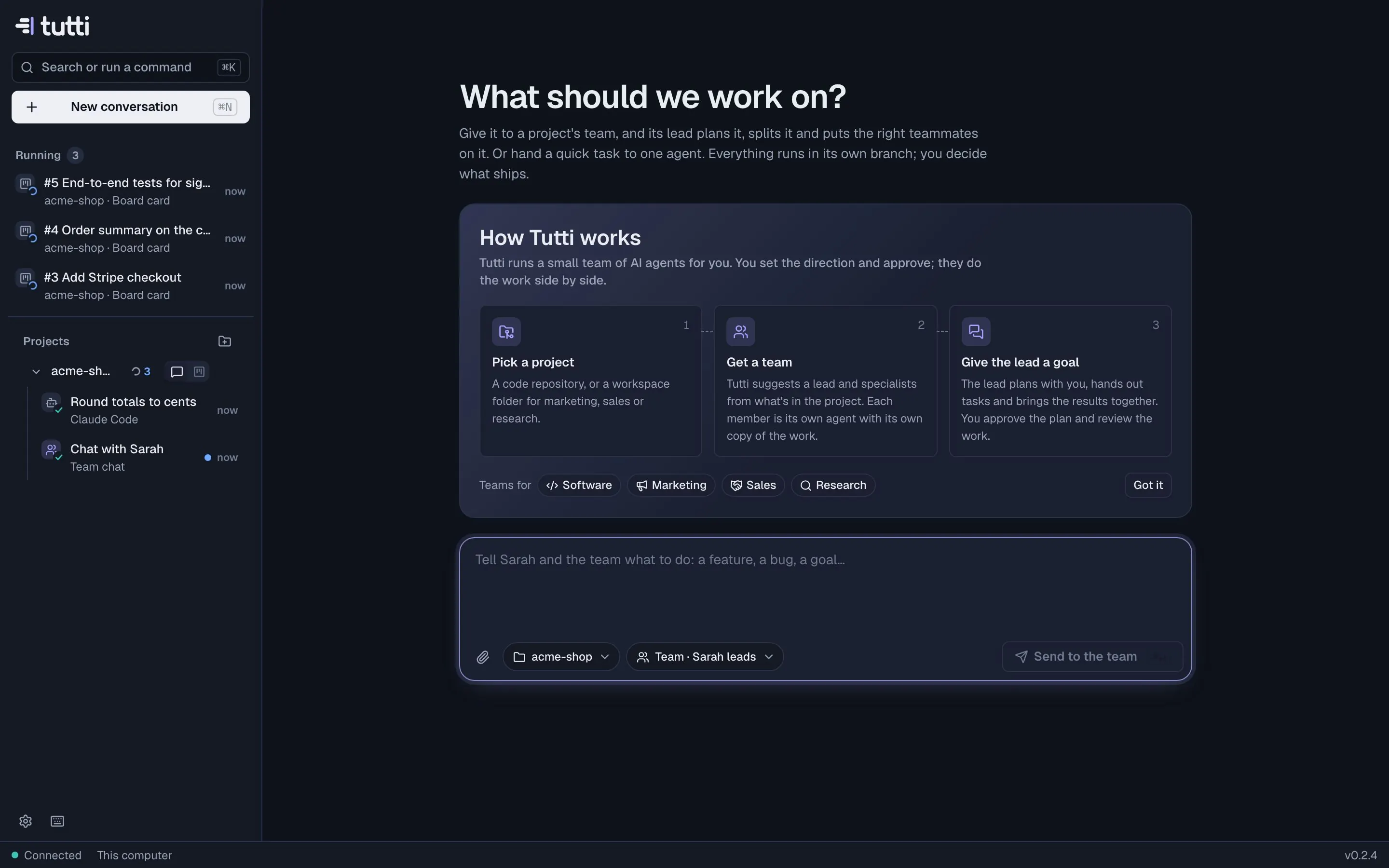
The lead is how you talk to the whole team. Describe what you want in plain words; it plans, creates cards and puts the right teammates on them.
Start a conversation
- On the project page, open Chat with <lead> (⌘3).
- From the Team view, choose Talk to <lead>.
- From anywhere, press ⌘N, pick the project and Team · <lead> leads, and type.
What to say
Anything from one line to a full brief works. Some examples:
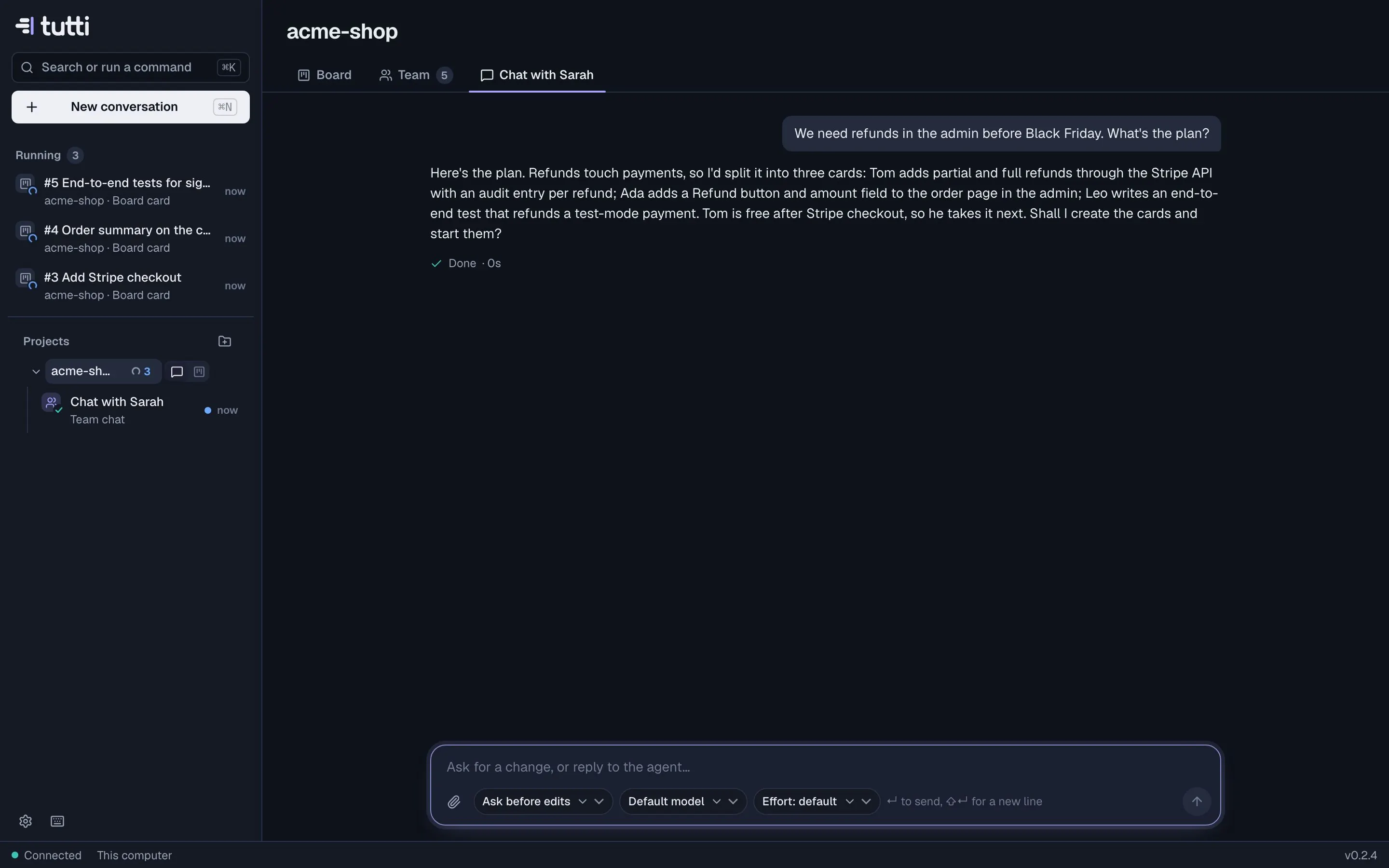
- "We need refunds in the admin before Black Friday. What's the plan?"
- "What should we work on next?"
- "Assign the backlog to the right people."
- "Start the cards that are ready to go."
- "Split #14 into a backend and a frontend card and give them to Tom and Ada."
- "Park #9 for now; it's not needed this month."
Attach files (a spec, a screenshot, a CSV) the same way as anywhere else.
What happens next
The lead reads the project and the board, asks what it needs to know, and proposes a plan, usually as cards with an owner each. When you agree, it creates the cards and starts them: they move to Ready, and free teammates pick them up. You'll see the cards appear on the board and the Team view update.
Keep it on track
- Be specific about done. "Done means a passing end-to-end test" saves a round of review.
- Say who should not do something, or which parts of the code to leave alone.
- Pick the model. Planning benefits from a strong model; change it with the model button under the message box.
- Set it and forget it. With Team picks up clear cards on, the lead also handles new Backlog cards and questions on cards by itself.
- House rules for every agent go in Settings → Agents & models → Standing instructions (for example "Use pnpm, not npm").
A quick task instead
Not everything needs the team. For a small change, press ⌘N, choose One agent and describe it: one agent works on it in its own branch, and you review the diff.
Something missing or unclear? Ask us, and we'll answer and improve this page.