

Conversations
Every piece of work in Tutti is a conversation with an agent, in its own branch: the lead's chat, a teammate's work on a card, or a quick task for one agent.
Three kinds
- With the lead: planning and running the project's board. See The lead.
- A teammate's work on a card: started when a teammate takes a card. Open it from the card (Tom's work) or the sidebar.
- One agent: a quick task without the team. Press ⌘N, pick the project and One agent, and describe the task.
Talking to an agent
Type in the box at the bottom and press ↵ (⇧↵ for a new line). Attach files with the button, by dropping them, or by pasting an image. While the agent works you can add a message (it reads it after the current step) or interrupt it with ⌘..
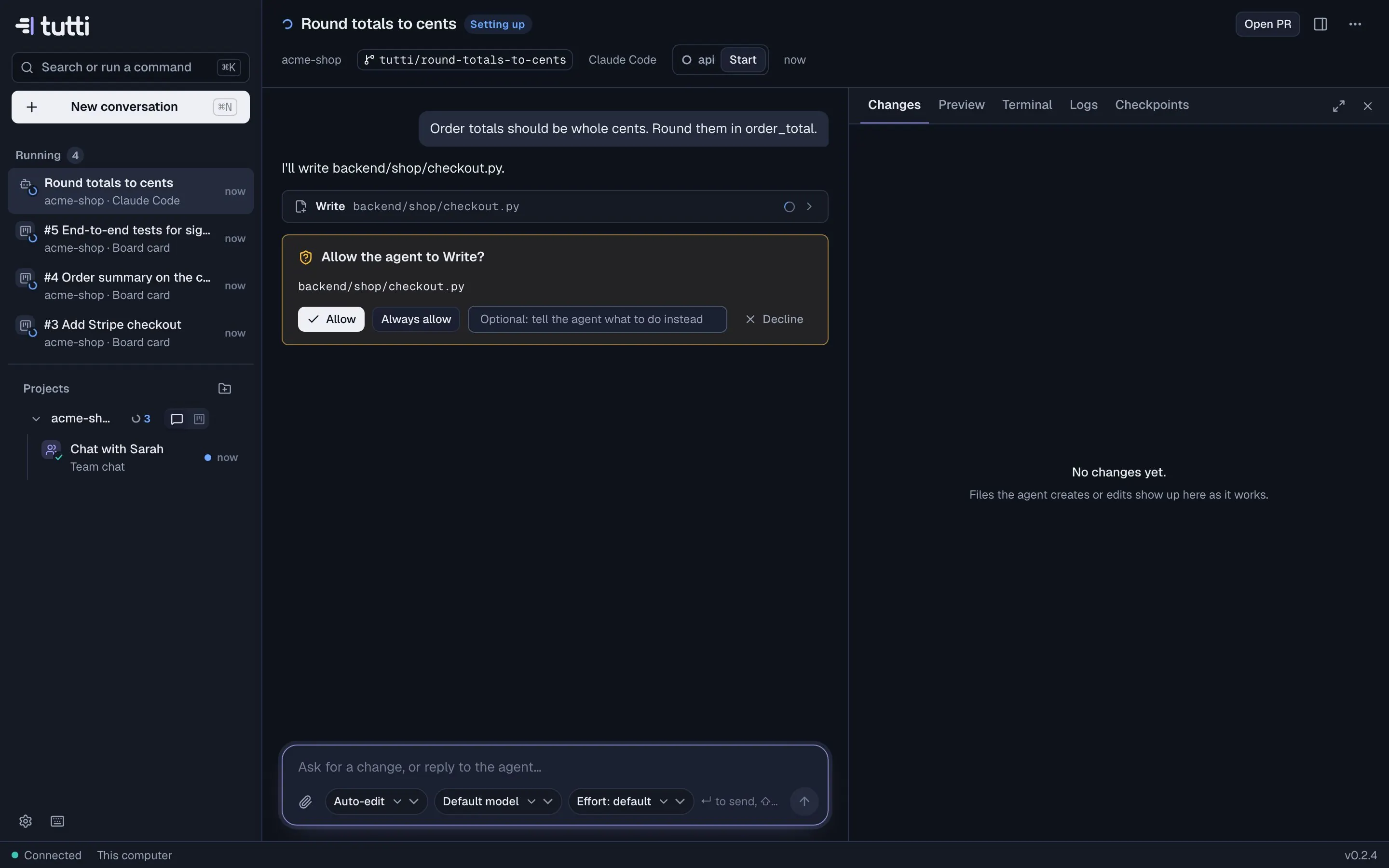
When an agent wants to edit a file or run a command, it asks: Allow, Always allow or Decline (optionally telling it what to do instead).
What agents may do without asking
| Mode | What it means |
|---|---|
| Ask before edits | The agent asks before editing files and running commands. |
| Auto-edit | It edits files in its worktree freely and asks before running commands. |
| Plan first | It explores and proposes a plan; nothing changes until you approve it. |
| Full access | It never asks. Its worktree is isolated, but commands still run on your machine. |
Set the default in Settings → Agents & models, and switch it inside any conversation.
Model and effort
The agent button in the box shows the agent and model. Change them for this conversation (from the next turn), or change the defaults in Settings. For Claude you can also set the effort, from low to max.
The side panel
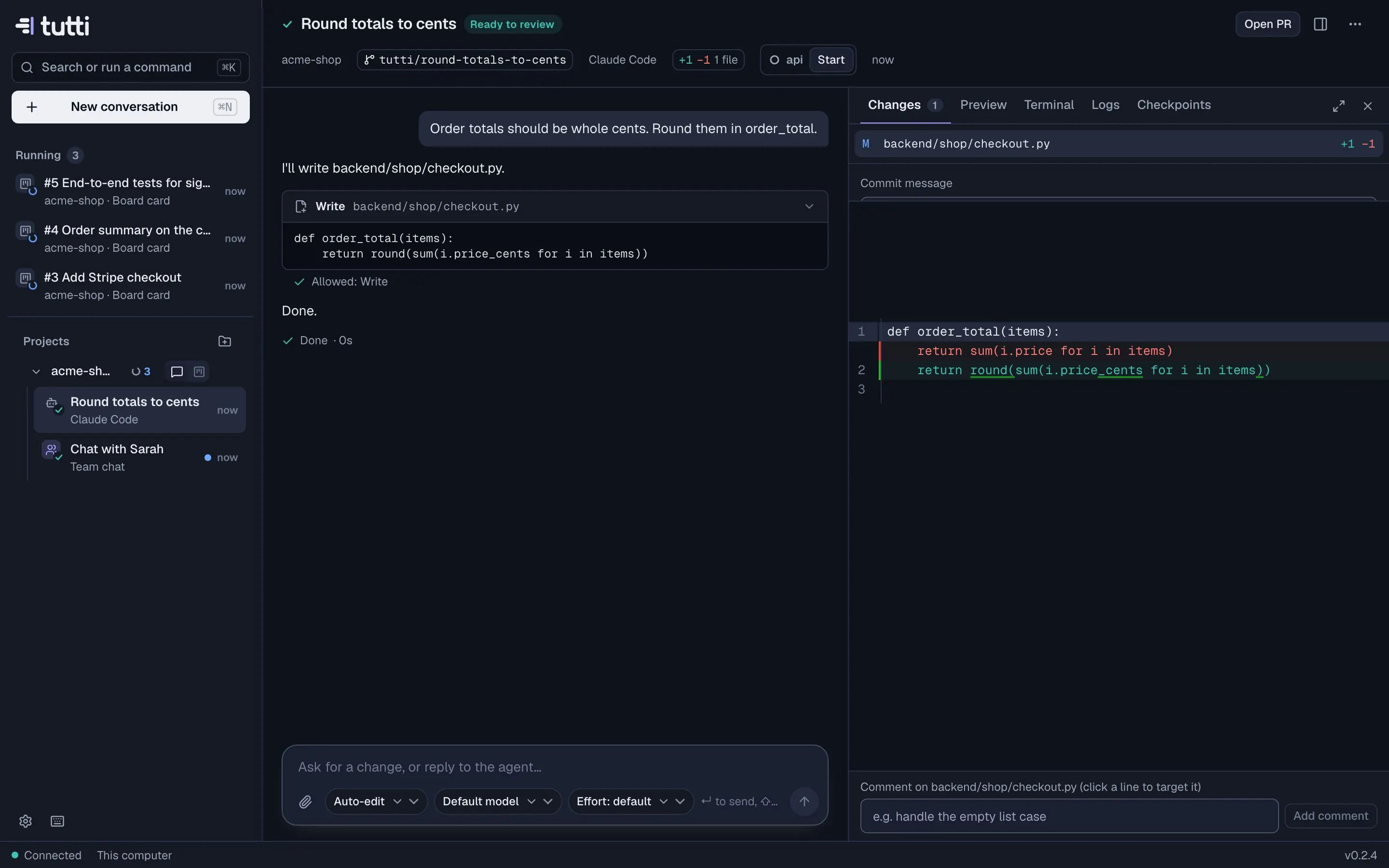
Next to the chat, the side panel (⌘\) has five tabs:
- Changes (⌘1): the diff of everything the agent changed, with line comments, commit and push.
- Preview (⌘2): the app from this conversation's dev server.
- Terminal (⌘3): a shell in the worktree.
- Logs (⌘4): output of the setup script and dev servers.
- Checkpoints (⌘5): restore points after every turn.
Agents
Claude Code and Codex run as native chats. Gemini CLI, OpenCode, Aider and custom agents run in a terminal inside the conversation; for agents without status hooks, Tutti works out from their output when they need you, which can lag a little.
Archiving
Archive stops the agent, runs the teardown script and removes the worktree. The branch is kept unless you choose to delete it; uncommitted changes must be committed or discarded first.
Something missing or unclear? Ask us, and we'll answer and improve this page.