

Working with the board
The board is the calm way to run a team: you decide what matters and in what order, and teammates pull work one card at a time. This guide covers the everyday loop.
1. Write cards a teammate can finish alone
Open the project's Board (⌘1) and choose Add to backlog. A good card has:
- A title that says the outcome: "Refunds from the admin", not "Refunds".
- What, why and how you'll know it's right in the description. Acceptance criteria help most.
- Attachments where words aren't enough: screenshots, a design, a CSV. Drop them on the description.
Not sure it's clear enough? Use Ask the lead on the card: Grill asks the questions a teammate would, Improve rewrites it with acceptance criteria, and Split breaks a big card into smaller ones.
2. Decide what's next
Drag cards to Ready in the order you want them done; teammates take them from the top. Or use Add and start to write a card straight into Ready.
- Who: leave it on Anyone free and the teammate who fits best takes it, or pick a teammate.
- Pin to a teammate: drop a card on a teammate and they take it next.
- Hands off: turn on Team picks up clear cards and the lead starts clear Backlog cards itself.
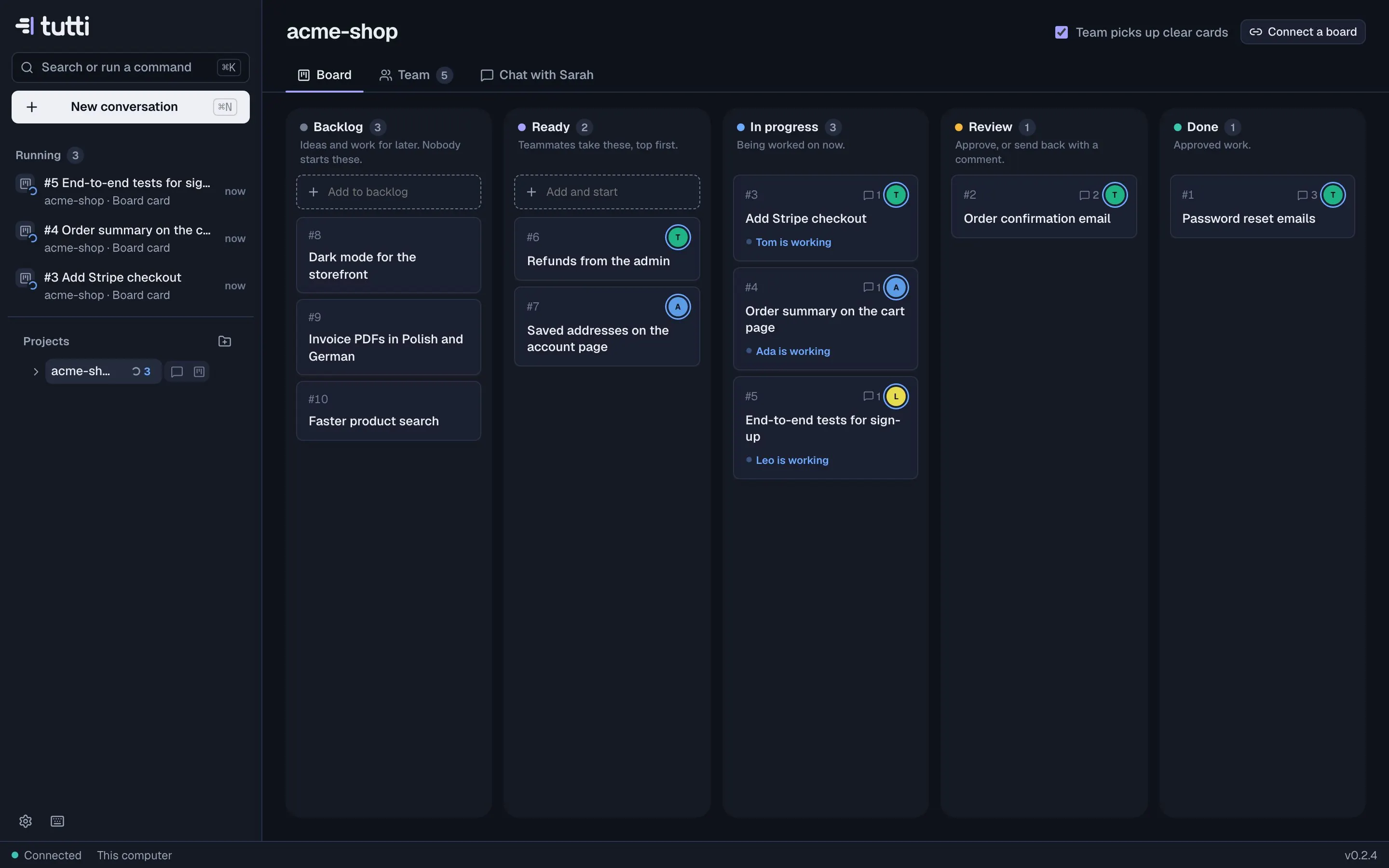
3. Answer when you're asked
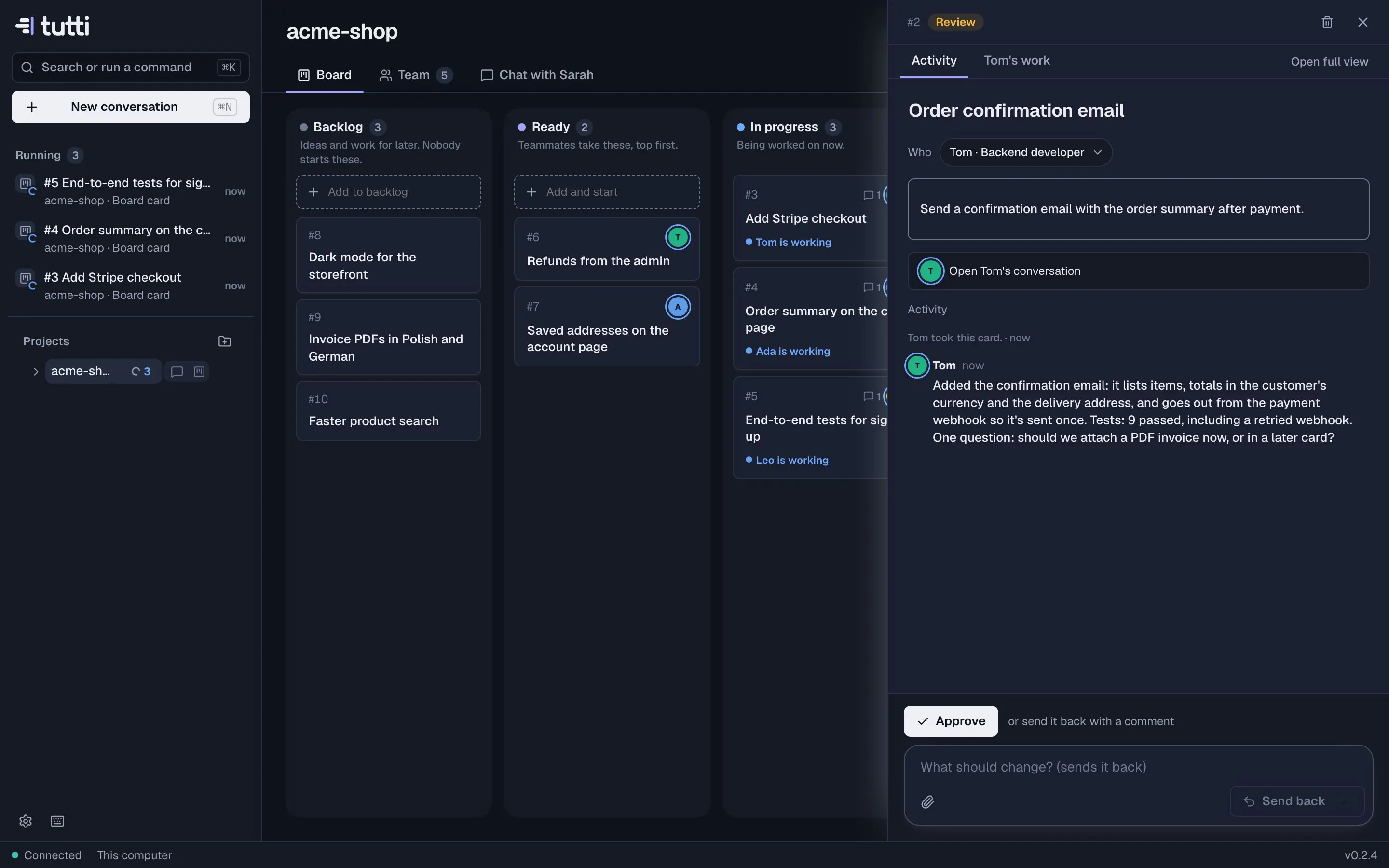
If a teammate needs a decision, the card says Needs you, the sidebar counts it, and you get a notification. Open the card, read the question, and answer in the comment box. To follow the work in detail, open the card's Tom's work tab (with your teammate's name), or Open full view for the whole conversation with its diff, preview and terminal.
4. Review and approve
Finished cards land in Review with a report. Read it, look at the changes if it's code, then:
- Approve: the card goes to Done and the teammate saves what it learned.
- Send back with what should change: the teammate picks it up again.
When you're happy with the code, open a pull request from the conversation (Open PR). See Checkpoints and review.
Tips
- Keep Ready short: a few cards per teammate is plenty. Order matters more than volume.
- Prefer several small cards to one big one; reviews are faster and teammates learn more per card.
- When a teammate gets something wrong twice, add a line to its notes ("What they know") on its profile.
- Already using Linear, Jira or GitHub Issues? Mirror them instead of copying tickets.
Something missing or unclear? Ask us, and we'll answer and improve this page.