

Projects
A project is a folder Tutti works on: usually a git repository with code, or a plain folder for marketing, sales or research work. Each project has one team, one board and one lead.
Adding a project
Choose Add project in the sidebar and pick a folder, or one of the repositories Tutti found on
your computer. Tutti needs git: a folder that isn't a repository yet can be set up with a git init and
a first commit of what's there. For work without code, Start an empty workspace creates a folder
in ~/Tutti for briefs, notes, data and drafts.
Adding a project changes nothing in it. Tutti reads it to suggest a team and an environment, and keeps its own data (conversations, worktrees, teammates' notes) in its data folder.
The project page
Click a project in the sidebar to open it. It has three views:
- Board (⌘1): the cards and who's working on what. See The board.
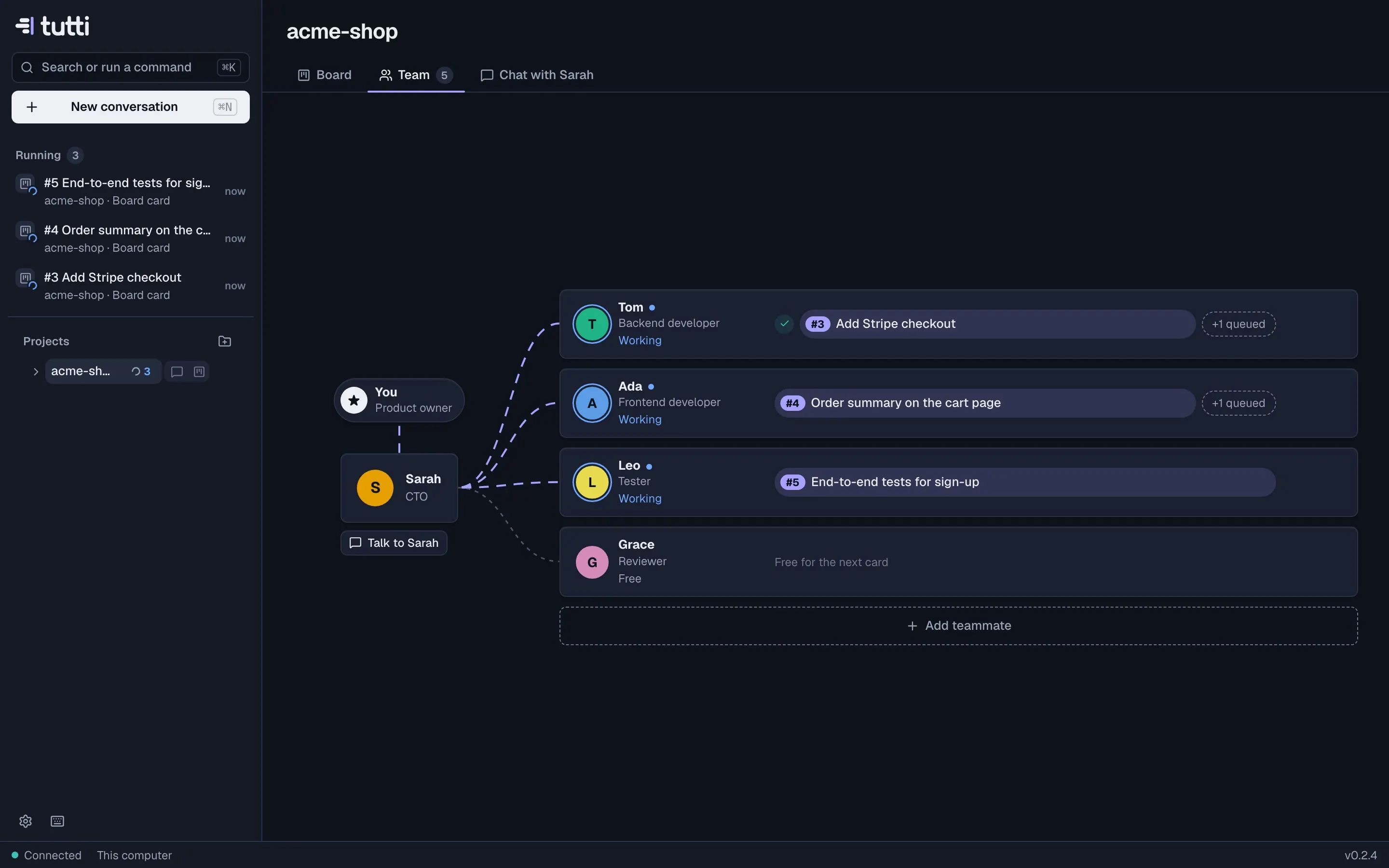
- Team (⌘2): the team as an org chart: you, the lead, and a lane per teammate with done, current and queued cards.
- Chat with the lead (⌘3): the conversation with the lead about this project. See The lead.
On Windows and Linux, use Ctrl wherever these docs say ⌘.
Project settings
Open Settings → Projects, or right-click a project in the sidebar. For each project you can set:
- the base branch new work starts from (the repository's default branch otherwise);
- the agent for this project, if it should differ from your default;
- its environment: the
tutti.tomlwith setup, dev servers and ports. See Configuring tutti.toml.
Click the project name on its board to rename it in Tutti; the folder keeps its name.
Removing a project
Remove from Tutti stops the project's agents, archives its conversations and removes their worktrees. The folder, its git history and every branch stay on your computer.
Something missing or unclear? Ask us, and we'll answer and improve this page.