

Hire an AI dev team in 60 seconds.
Pick a team, point it at your repository and give it a goal. A lead plans the work, developers build in parallel, a tester and a reviewer check it, and you approve the plan and merge the result.
Any model. Your machine. Free.
$ curl -fsSL https://tutti.build/install.sh | sh PS> irm https://tutti.build/install.ps1 | iex Paste it in a terminal. It installs Tutti, starts it and opens it in your browser. Prefer an app? Download the desktop app.
Every agent in plain sight
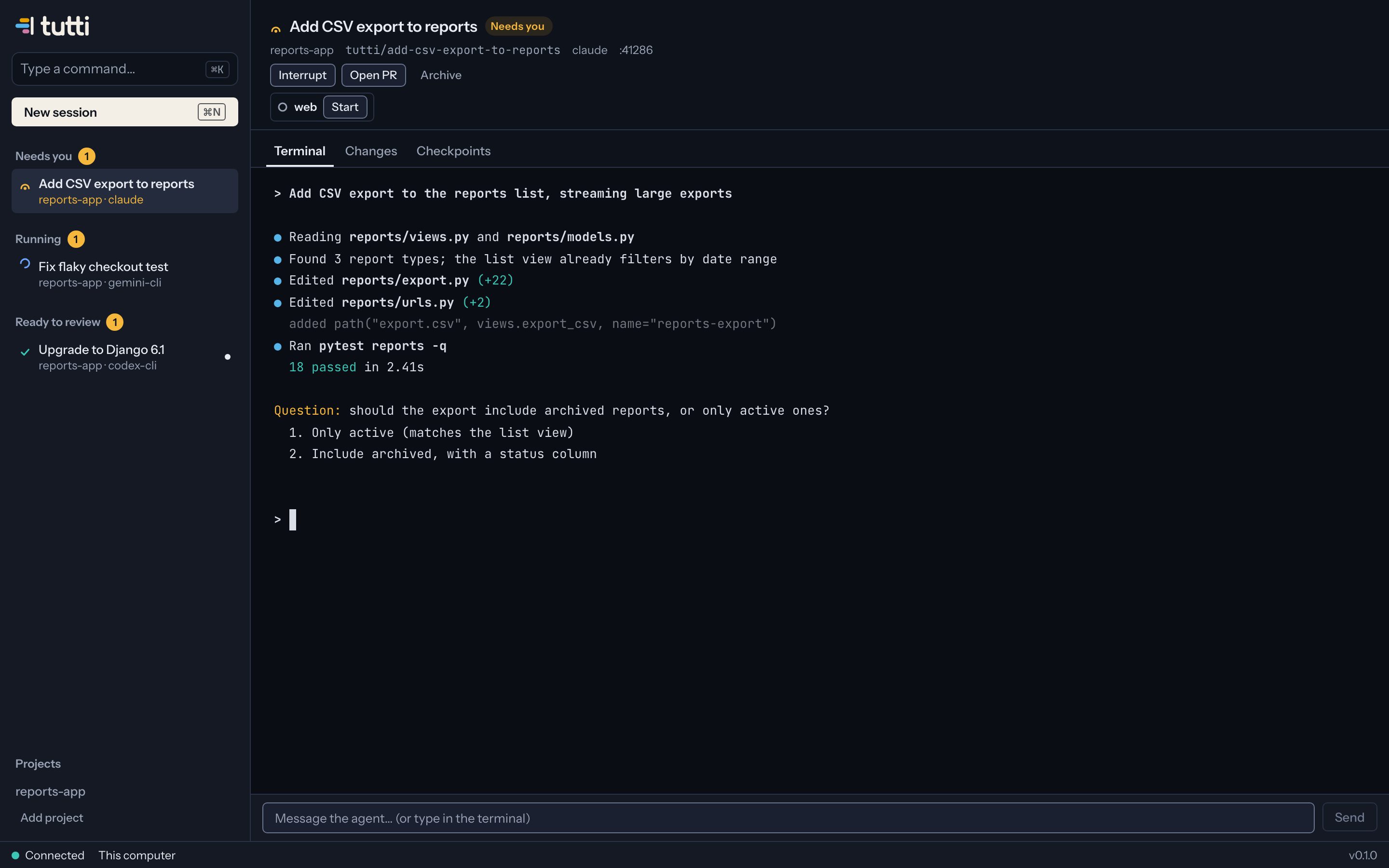
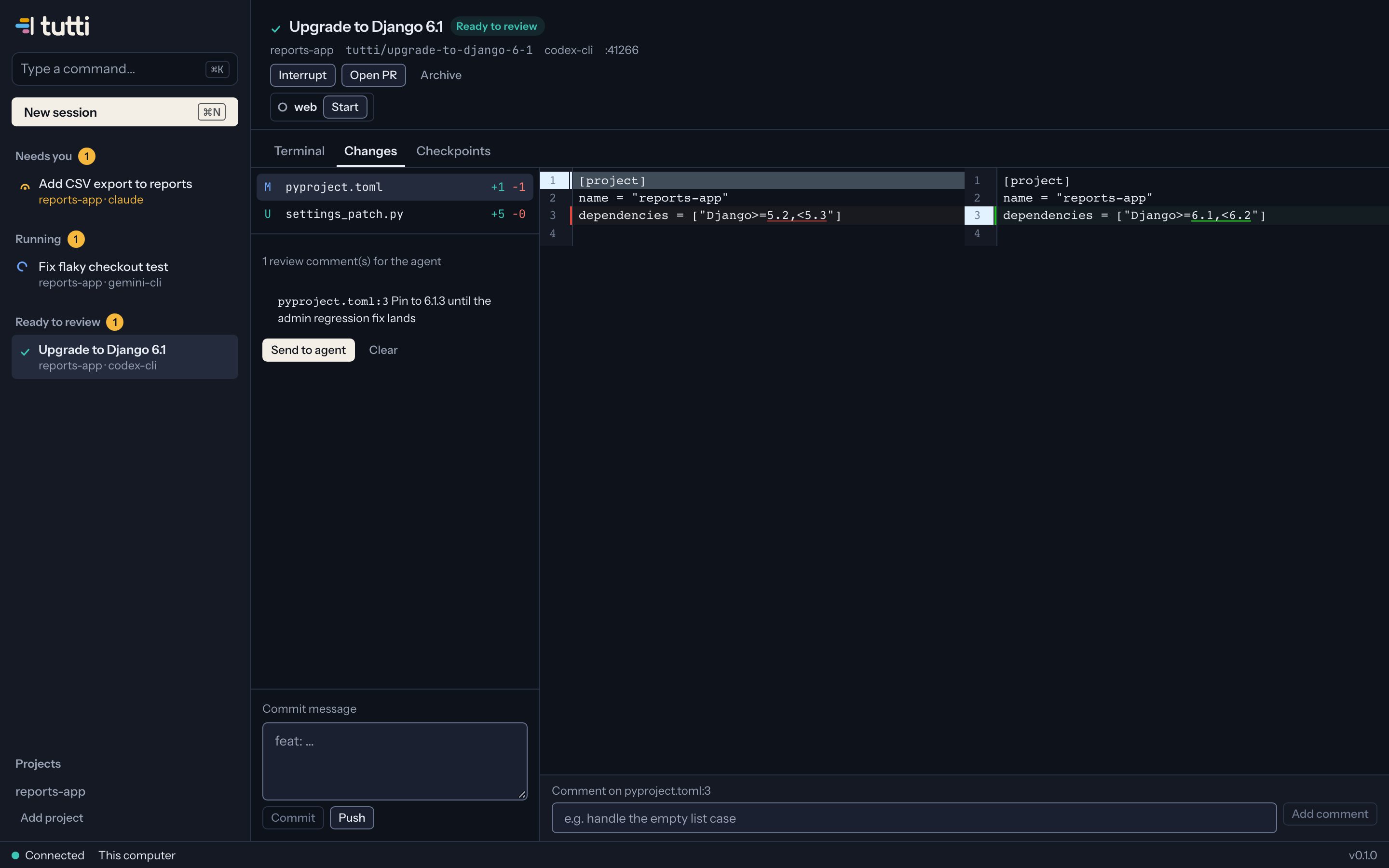
No black boxes. Each agent's real terminal, its changes and its status are one click away, and the sidebar tells you at a glance who is working, who needs you and what is ready to review.
How a mission runs
You stay the product owner. The team does the rest, and stops at the gates you choose.
You set the goal
Type what you want, or pick an issue. Choose a team template or build your own in a minute.
The lead plans
It reads the code and splits the goal into tasks with acceptance criteria. You approve or edit the plan.
The team builds in parallel
Each member works in its own branch and worktree. Tests and reviews run as tasks finish.
You merge
One combined diff, the full history and a summary. Open the pull request with one click.
Built for real repositories
The right model for each role
A strong model leads, a fast one writes tests, a different vendor reviews for independent eyes. Use the subscriptions and keys you already have.
- Claude Code
- Codex CLI
- Gemini CLI
- OpenCode
- Aider
- Local models
Your working copy stays yours
Every agent gets its own git worktree and branch, created and cleaned up for you. Checkpoints after each turn let you rewind any agent's work.
Environments that just run
Ten copies of your app at once without port clashes: every agent gets its own ports, database and seed data, with its dev server one click away.
Several repositories, one feature
Backend, frontend and infrastructure in separate repos? A team can work across all of them and open linked pull requests.
On your machines, from anywhere
Run Tutti on your laptop, a home server or a VPS, and check on your team from a browser or your phone. Code never passes through our servers.
Share a team in one link
Save your setup as a template, share it with a link, or start from teams others published for Django upgrades, bug hunts or test backfills.
A team, not just more terminals
What changes when agents work as a team instead of side by side.
| Aspect | Agents in separate terminals | Tutti |
|---|---|---|
| Planning | You split the work by hand | A lead plans tasks; you approve |
| Quality | You review everything yourself | Tester and reviewer roles check each task first |
| Isolation | Shared folder, clashing ports | Worktree, ports and database per agent |
| Models | Usually one vendor | Any agent and model per role |
| Cost | Varies | Free; you pay your model providers directly |
Questions
Is Tutti free?
Yes, for individuals, with every feature. You bring your own agent subscriptions or API keys, so you pay your model providers directly and Tutti adds nothing on top. Paid plans for companies will come later.
Does my code leave my machine?
No. Agents run on your computer or on a server you own. Your Tutti account only stores your email, your devices and your settings. Code, prompts, diffs and terminal output are never sent to us.
Which agents and models can I use?
Claude Code, OpenAI Codex CLI, Gemini CLI, OpenCode and Aider work out of the box, and any other command-line agent can be added with one line of config. Each role in a team can use a different agent and model, including local models.
Do I need to change how my repository is set up?
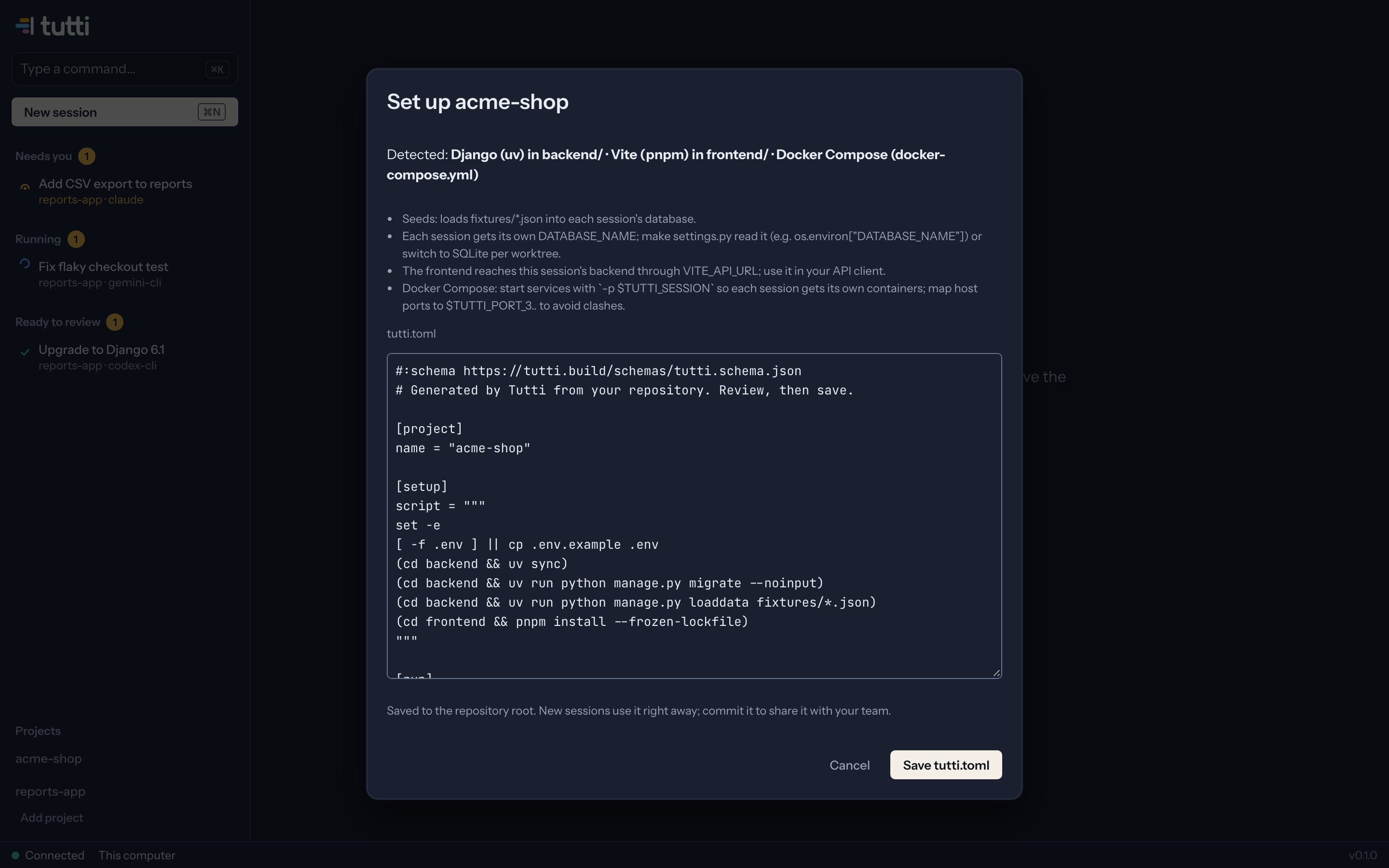
No. Tutti looks at your project, recognises frameworks like Django, Next.js, Vite and Rails, and proposes a setup: dependencies, a database and ports per agent, seed data, dev servers. You review it once, and every agent gets a working environment.
Will agents mess up my working copy?
They can't touch it. Every agent works in its own git worktree on its own branch. Nothing is pushed, merged or deleted unless you say so, and Tutti checkpoints each agent turn so you can roll back.
Which systems does it run on?
macOS (Apple silicon and Intel), Linux and Windows, as a desktop app or in your browser. You can also run it on a home server or VPS and check on your team from your phone.
Your team is one command away.
$ curl -fsSL https://tutti.build/install.sh | sh PS> irm https://tutti.build/install.ps1 | iex Paste it in a terminal. It installs Tutti, starts it and opens it in your browser. Prefer an app? Download the desktop app.