

The board and cards
Each project has a board. You write cards and decide their order; teammates take Ready cards one at a time, work on them in their own branch, and hand them back for review.
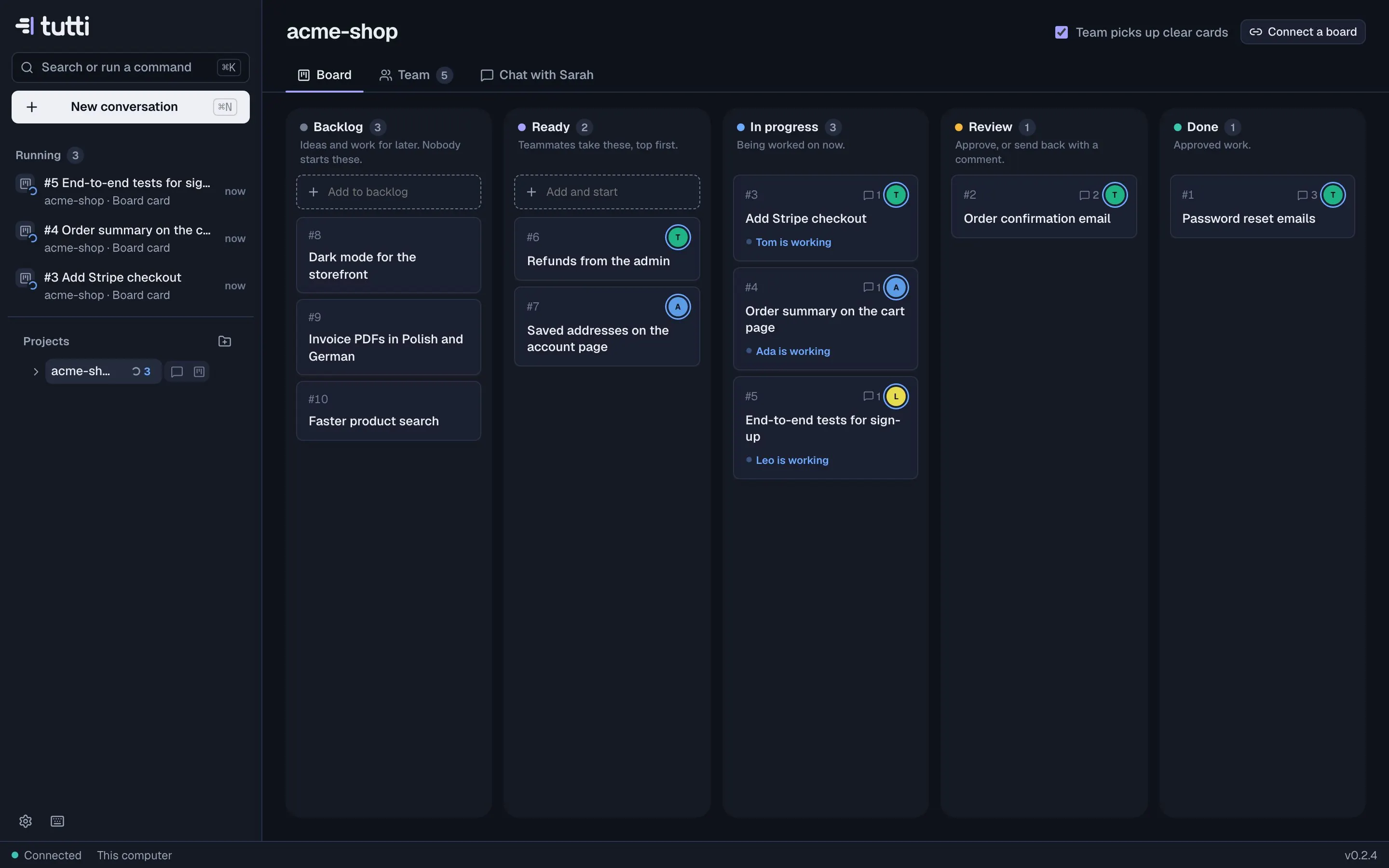
Columns
| Column | What it means |
|---|---|
| Backlog | Ideas and work for later. Nobody starts these (unless the team picks up clear cards; see below). |
| Ready | Teammates take these, top first. Order sets priority. |
| In progress | A teammate is working on it. Cards move here by themselves when a teammate takes them. |
| Review | The teammate is done and reported. Approve, or send it back with a comment. |
| Done | Approved work. |
Done cards stay on the board for now. Automatic archiving of done cards and optional cycles (sprints) are coming soon.
Cards
A card has a title, a description (what should be done, why, and how you'll know it's right), attachments, and who it's for: a teammate, or Anyone free. Click a card to open it in a drawer with its description, the activity, and the teammate's work chat.
- Assigned to a teammate: only they take it. Drop a card on a teammate to pin it: they take it next.
- Anyone free: the next free teammate who fits takes it.
- Each teammate works on one card at a time; the rest wait in their queue.
When a teammate needs you
If a teammate needs a decision or information, it asks one clear question on the card and waits. The card shows Needs you, the sidebar counts it, and you get a notification. Answer in the card's comment box. Teammates can also post short progress notes and propose follow-up cards for the Backlog; they never start those themselves.
Review and approval
A finished card lands in Review with a report: what was done, how it was checked, anything open.
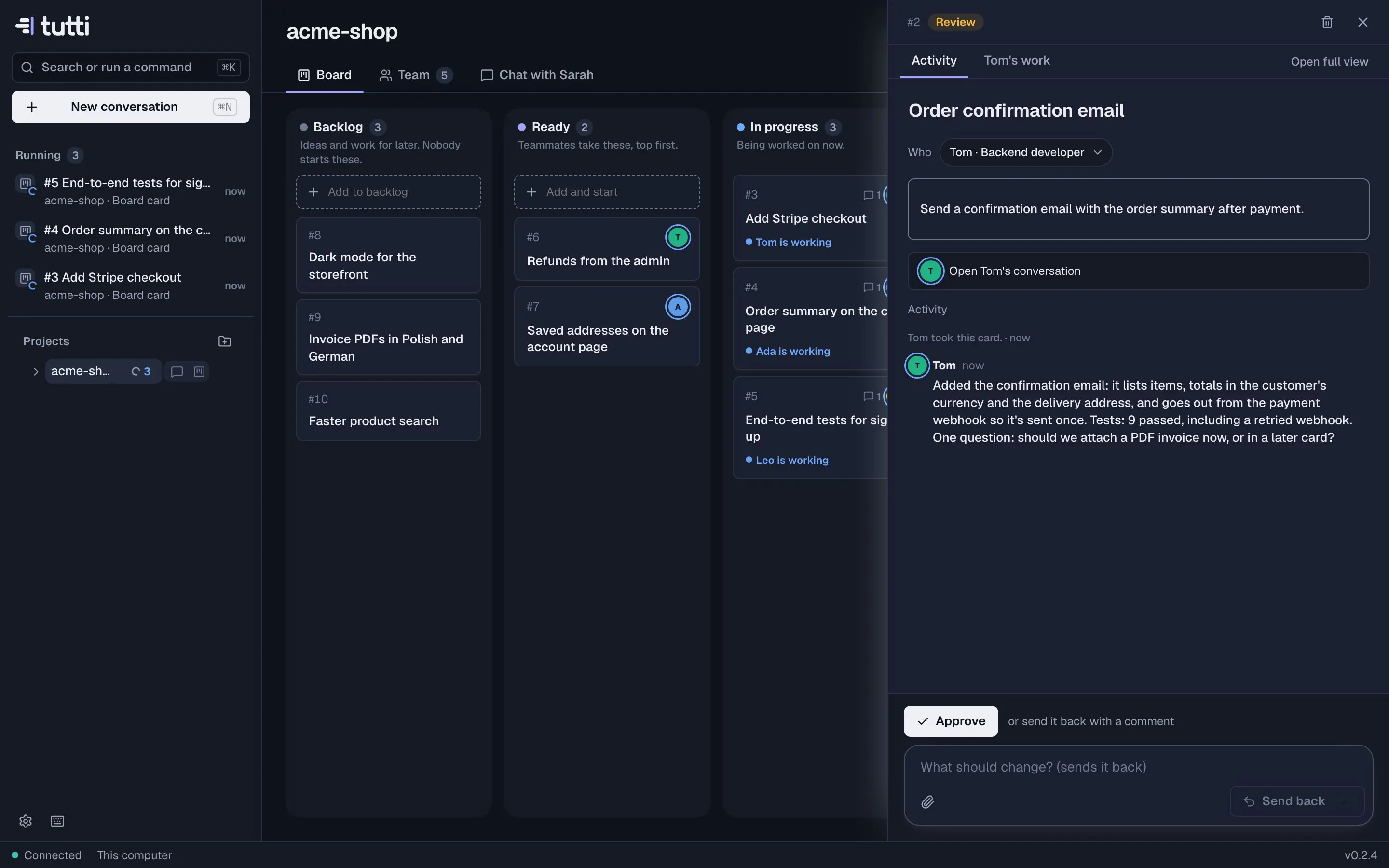
- Approve moves it to Done. The teammate saves what it learned to its notes.
- Send back with a comment moves it back to the teammate, who picks it up again.
Approving a card doesn't merge or push anything. Look at the changes and open a pull request from the teammate's conversation. See Checkpoints and review.
Team picks up clear cards
With this switch on (top of the board), the lead looks at new Backlog cards and your comments. Cards that are clear enough start on their own with the teammate who fits best; questions on cards get an answer from whoever knows. Turn it off to start everything yourself.
Your tracker
The board can mirror Linear, Jira, GitHub Issues or Notion. Tickets come in as cards, and when a card moves, the ticket moves too, with a short note from Tutti. See GitHub, Linear and Jira.
Something missing or unclear? Ask us, and we'll answer and improve this page.