

Getting started
About five minutes from install to your team's first piece of work. You need git and at least one coding agent, for example Claude Code or Codex, signed in once in a terminal.
1. Install Tutti
Download the desktop app for macOS, Windows or Linux, or install with one command. See Install for details.
curl -fsSL https://tutti.build/install.sh | sh2. Sign in
The first time you open Tutti it asks you to sign in. Choose Sign in with your browser, then continue with GitHub, Google or your email (you get a one-time code, no password). The app updates by itself when you're done. Accept the licence agreement and you're in.
Your account is free. It keeps your devices and settings and confirms your plan; it never receives your code, prompts or terminal output. More in Privacy and security.
3. Add a project
A project is a folder Tutti works on: usually a git repository, or a plain folder for marketing, sales or research work. In the sidebar, choose Add project, then pick a folder or one of the repositories Tutti found on your computer.
- A folder that isn't a git repository yet? Tutti offers to set it up (a
git initand a first commit) so every teammate can work on its own copy. - No folder at all? Choose Start an empty workspace: Tutti creates one in
~/Tuttiand suggests a marketing, sales or research team for it.
If the repository comes with a tutti.toml that runs commands, Tutti shows Review setup
commands first. Nothing runs until you approve them. See Trust.
4. Set up the team
Adding a project opens its page and offers to set up its team. Tutti suggests one from what's in the project: for a web app, a lead (shown as CTO), backend and frontend developers, a tester and a reviewer. Rename them, change roles and strengths, add photos, add or remove teammates, then Save the team. Each teammate's agent can be changed later on their profile.
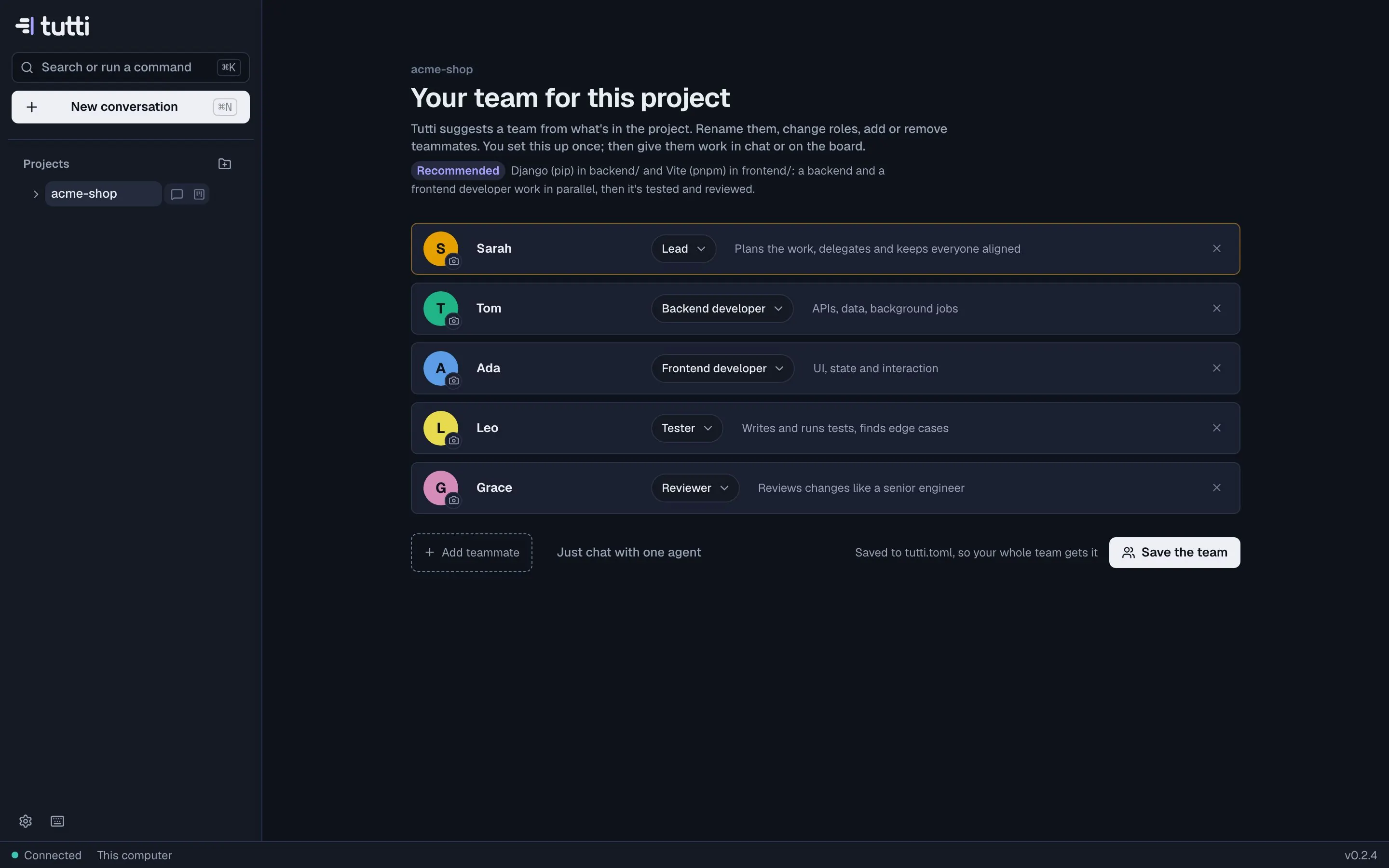
The team is saved to tutti.toml in the repository, so everyone who works on it gets the same team.
Only want one agent for a quick job? Choose Just chat with one agent instead.
To give every agent a working copy of your app (dependencies, database, dev servers), choose
Set up on the project. Tutti detects the stack and proposes a tutti.toml; see
Configuring tutti.toml.
5. Give it a first task
There are two ways, and you can mix them.
Tell the lead
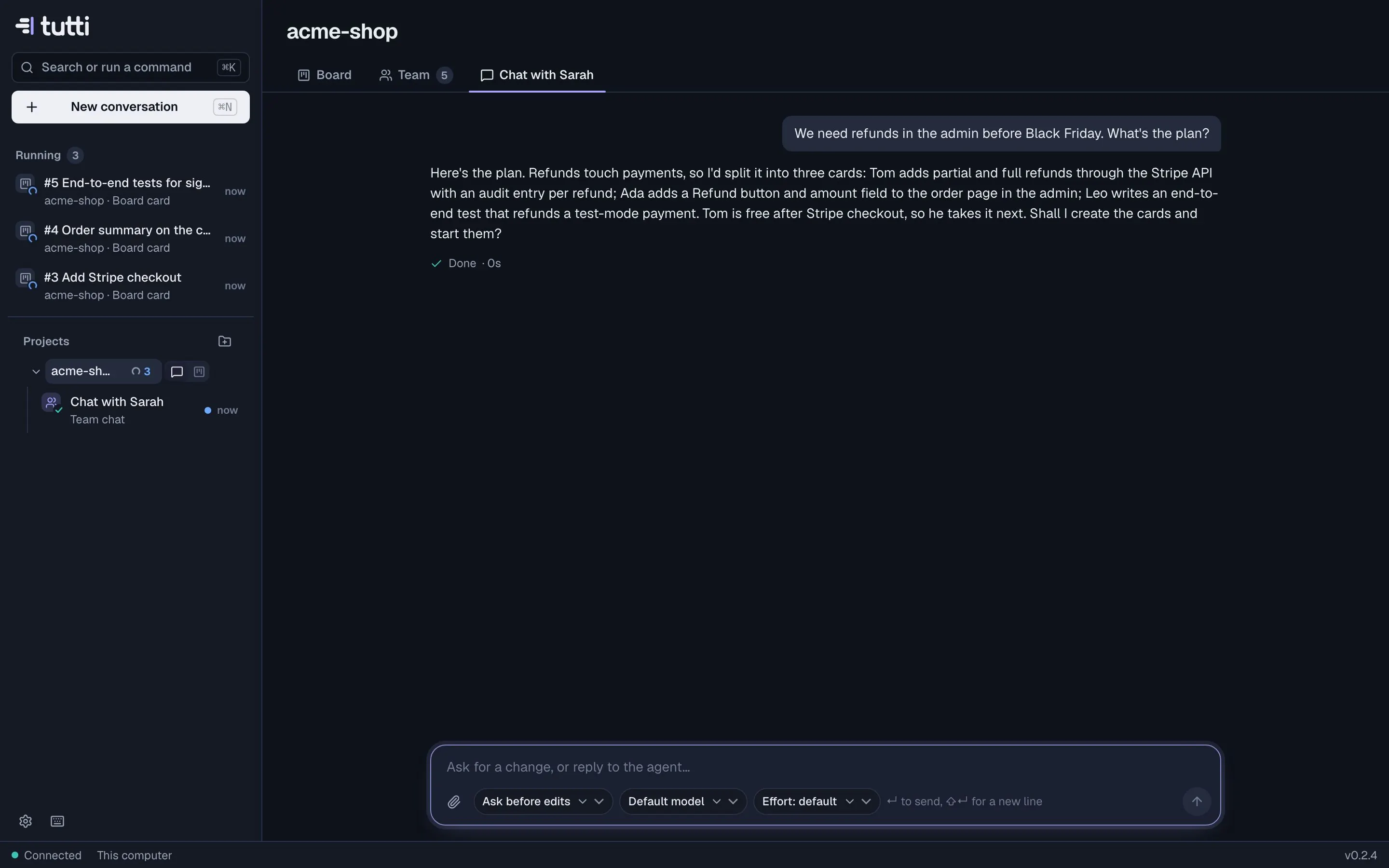
Open Chat with Sarah (or whatever your lead is called) on the project page, or press ⌘N and pick the project with Team as who it's for. Describe a feature, a bug or a goal in plain words. The lead looks at the project, asks what it needs, creates cards and puts the right teammates on them.
Or write cards
Open the Board, add a card to Backlog, and drag it to Ready (or use Add and start). A free teammate takes it, works on it in its own branch and moves it to Review with a report. See Working with the board.
6. Review and approve
When a teammate needs you, the card and the sidebar say so, and you get a notification. When the work is done the card lands in Review: read the report, look at the changes, then Approve or send it back with a comment. Open a pull request when you're happy. See Checkpoints and review.
Your checkout is safe. Agents work in their own git worktrees on their own branches. Nothing is pushed, merged or deleted unless you ask.
Something missing or unclear? Ask us, and we'll answer and improve this page.