

Trust and tutti.toml
A project's tutti.toml can run commands on your computer: setup scripts, dev servers, teardown. Tutti
runs them only after you've seen and approved them, and only from your own checkout.
Review setup commands
When you add a repository that comes with a tutti.toml, or when its commands change (for example after
you pull), Tutti shows Review setup commands on the project and runs nothing until you decide.
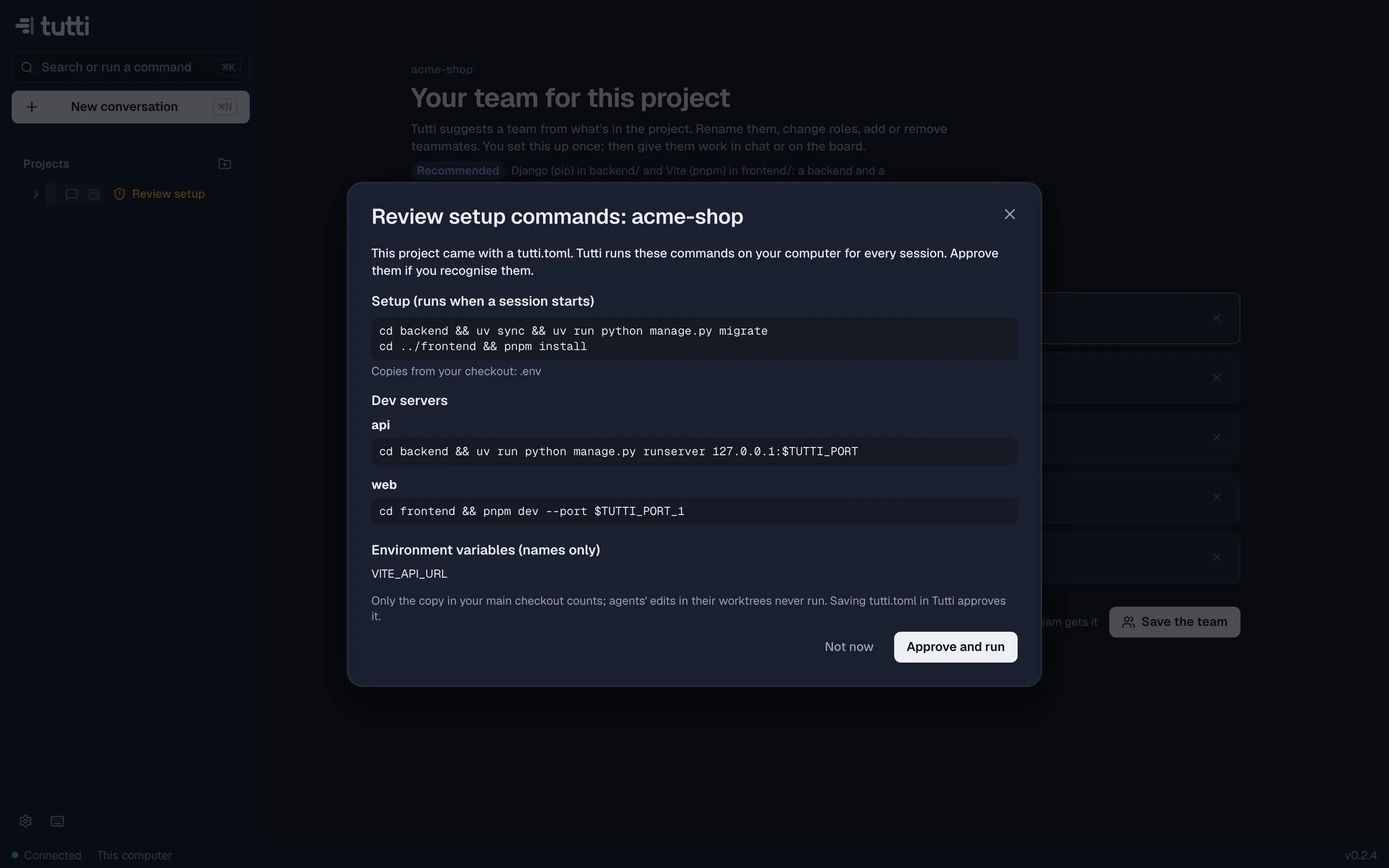
The dialog lists:
- Setup (runs when a session starts), with any files it copies or links from your checkout;
- Dev servers and the folders they run in;
- Teardown (runs when a session is archived);
- Environment variables, by name only;
- Agent settings for custom agents.
When commands changed since you approved them, the new and changed ones are marked. Choose Approve and run, or Not now: agents still work, but setup, dev servers and teardown don't run.
The rules
- Only your main checkout counts. An agent can edit
tutti.tomlin its worktree, but those edits never run. Commit and merge them, and they come up for review like any other change. - Approval is per project and per content. Tutti remembers a fingerprint of the approved commands; any change asks again.
- Saving
tutti.tomlin Tutti approves it, because you wrote it (in project settings, the Set up dialog or Change with Claude). - A repository can't widen what agents may do.
tutti.tomlcan't change agents' permissions or redirect their model API, and agents can't change their own launch settings.
What agents may do
Separately from tutti.toml, every agent asks before editing files or running commands unless you chose
otherwise (see Conversations). Agents don't run commands without asking
just because a README, ticket or comment told them to, and they can't read Tutti's own data or common credential
files. Cards that come from a tracker never run with full access.
More: Privacy and security, Configuring tutti.toml.
Something missing or unclear? Ask us, and we'll answer and improve this page.